All students guides
- Start here
- Sign in and get around
- How to use the AI Tutor
- Tutor modes, one by one
- Profiles, notes and sources
- Guided lessons
- Lessons from your faculty
- How to use the Question Bank
- How to use Flashcards
- How to use Clinical Cases
- How to read your Dashboard
- Voice viva (coming soon)
- Use AI the right way
- Student FAQ
- Student quick reference
Learn
Start a guided lesson
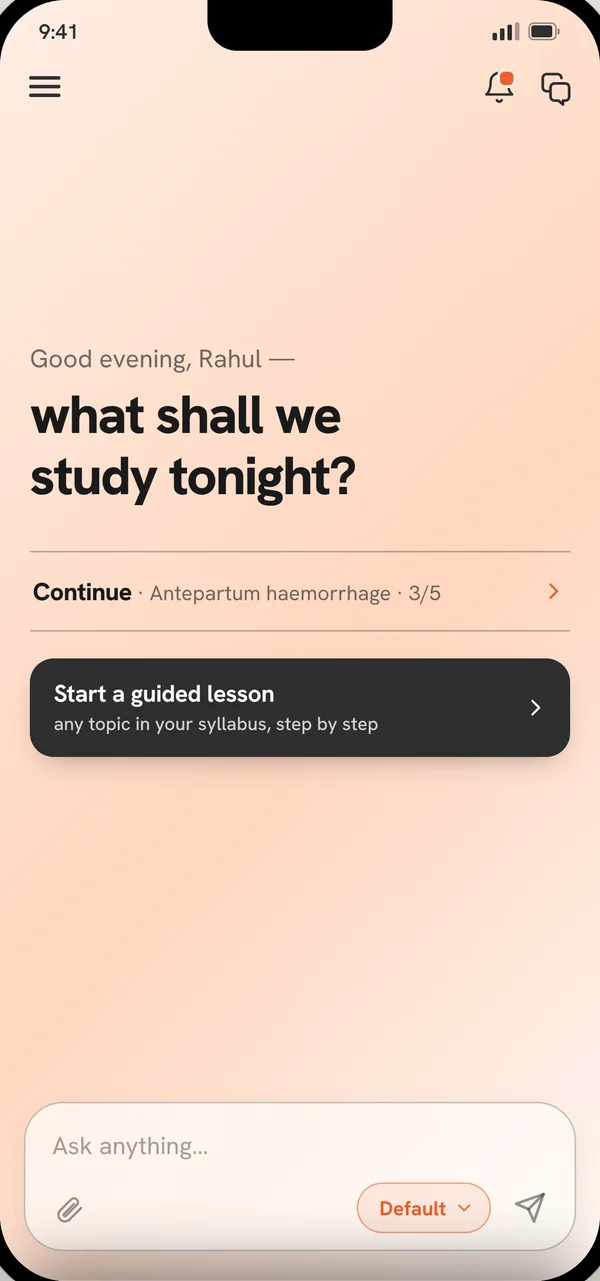
A guided lesson teaches one topic from your syllabus step by step: definition, why it matters, the key facts and the management principle, then a quick quiz.
- Tap Start a guided lesson
It sits under Continue on Home.
- Pick or type a topic
Type a topic, a competency or even a symptom, for example "painless bleeding in pregnancy". Or tap a Recently learned or Suggested for you topic and press Start.
- Finish with practice
At the end of the lesson tap Quiz me on this or Make me a flashcard to lock it in.