For faculty
Faculty teach easier.
GalenAI gives medical faculty an AI workspace for CBME teaching. Faculty upload their own references and generate lessons, lecture presentations, competency-based assessments, SGD cases, mind maps and flashcards in minutes. Nothing reaches a student until the faculty member reviews, edits and publishes it.
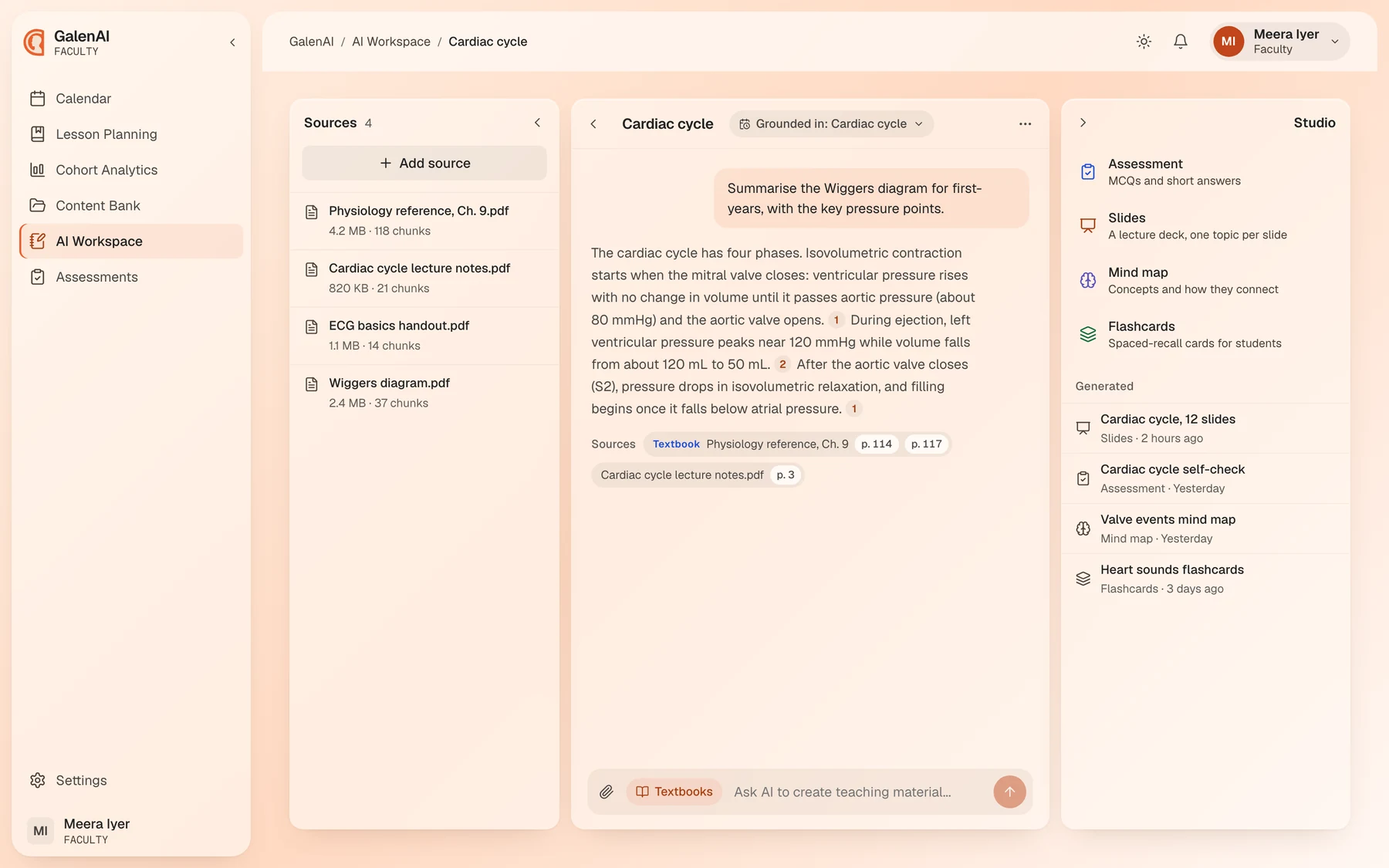
The AI Workspace
Sources on the left, a chat that cites them in the middle, and a Studio that turns them into teaching material.
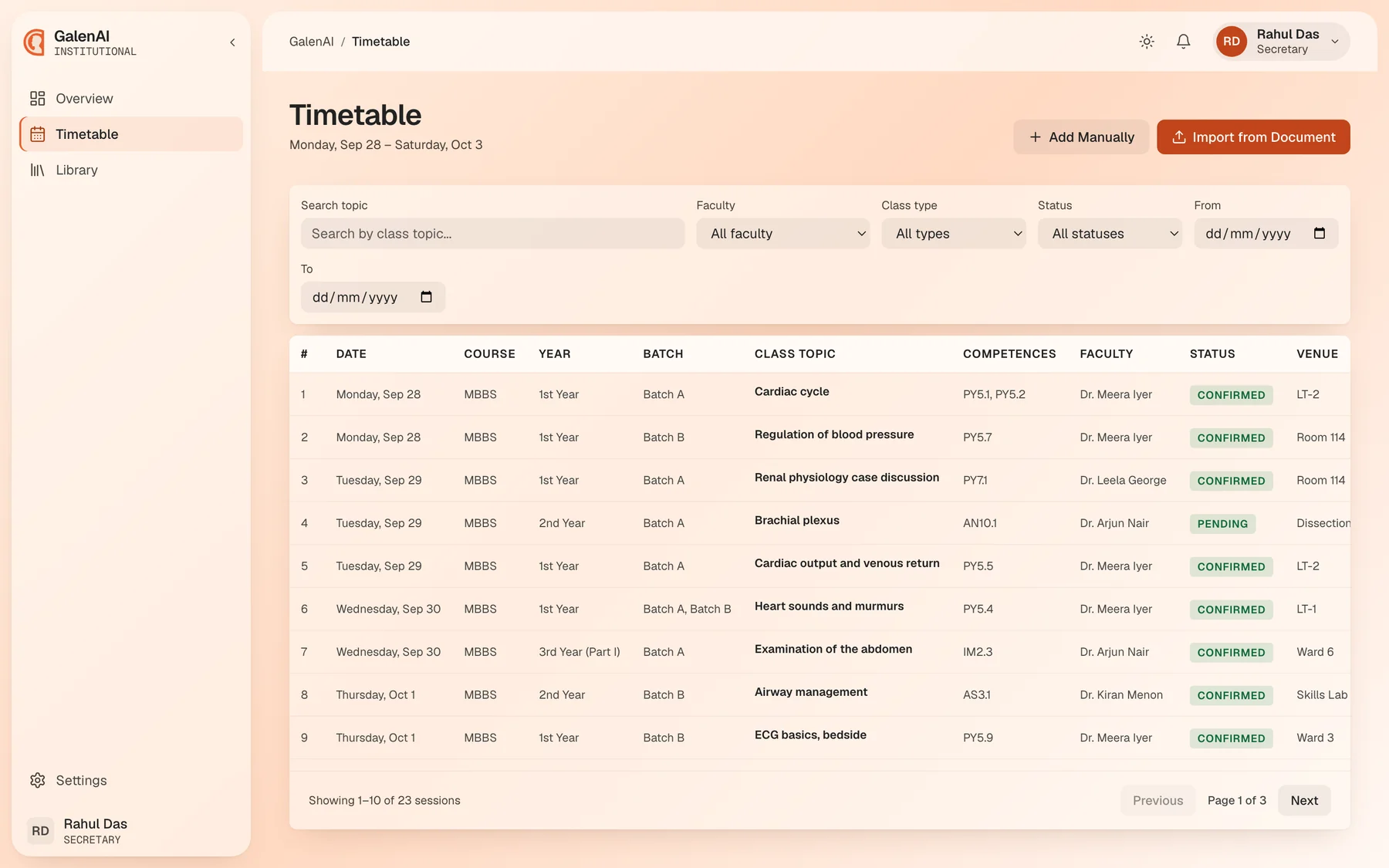
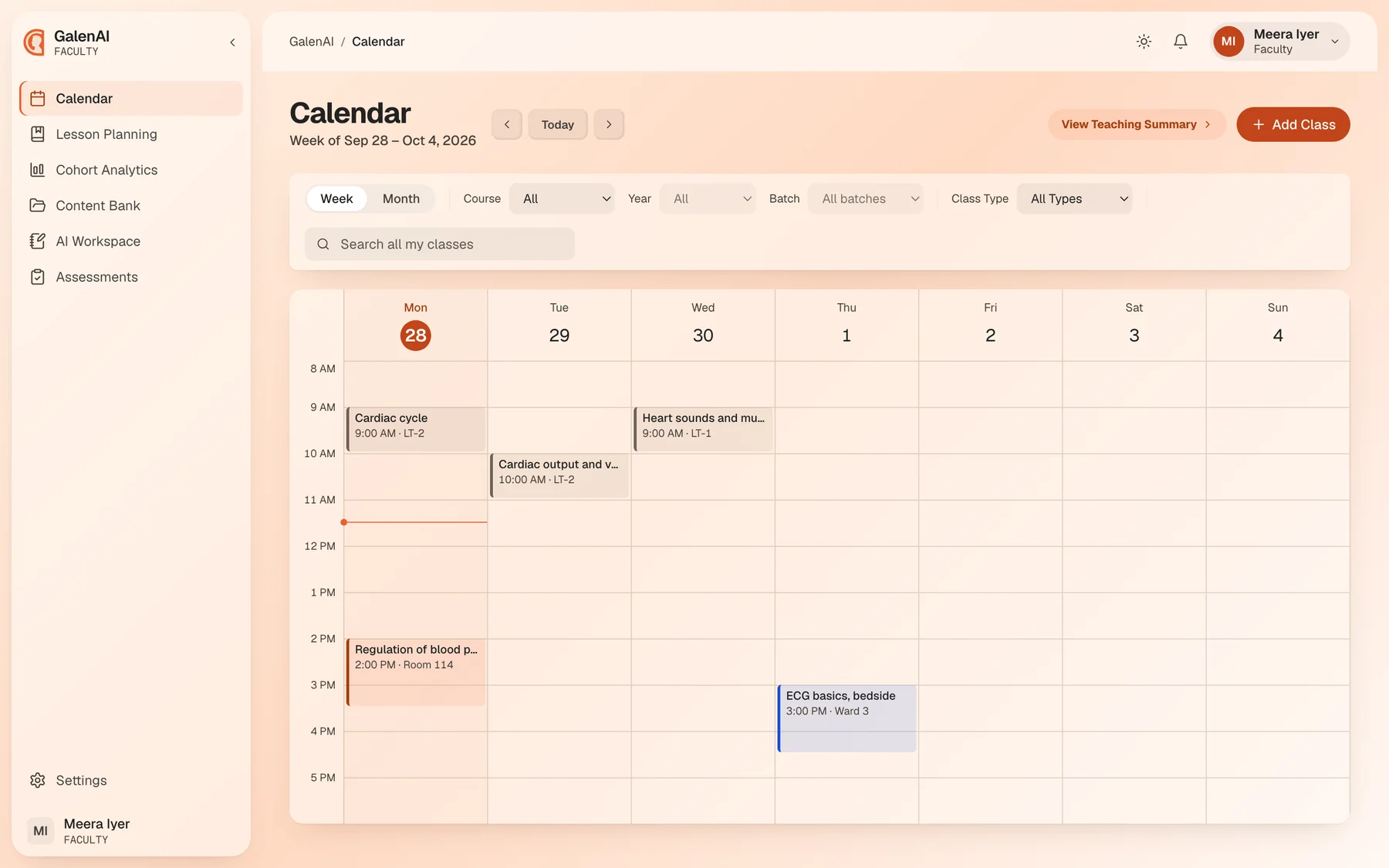
From timetable to analytics in six steps
CBME gives you the framework. GalenAI runs the delivery.
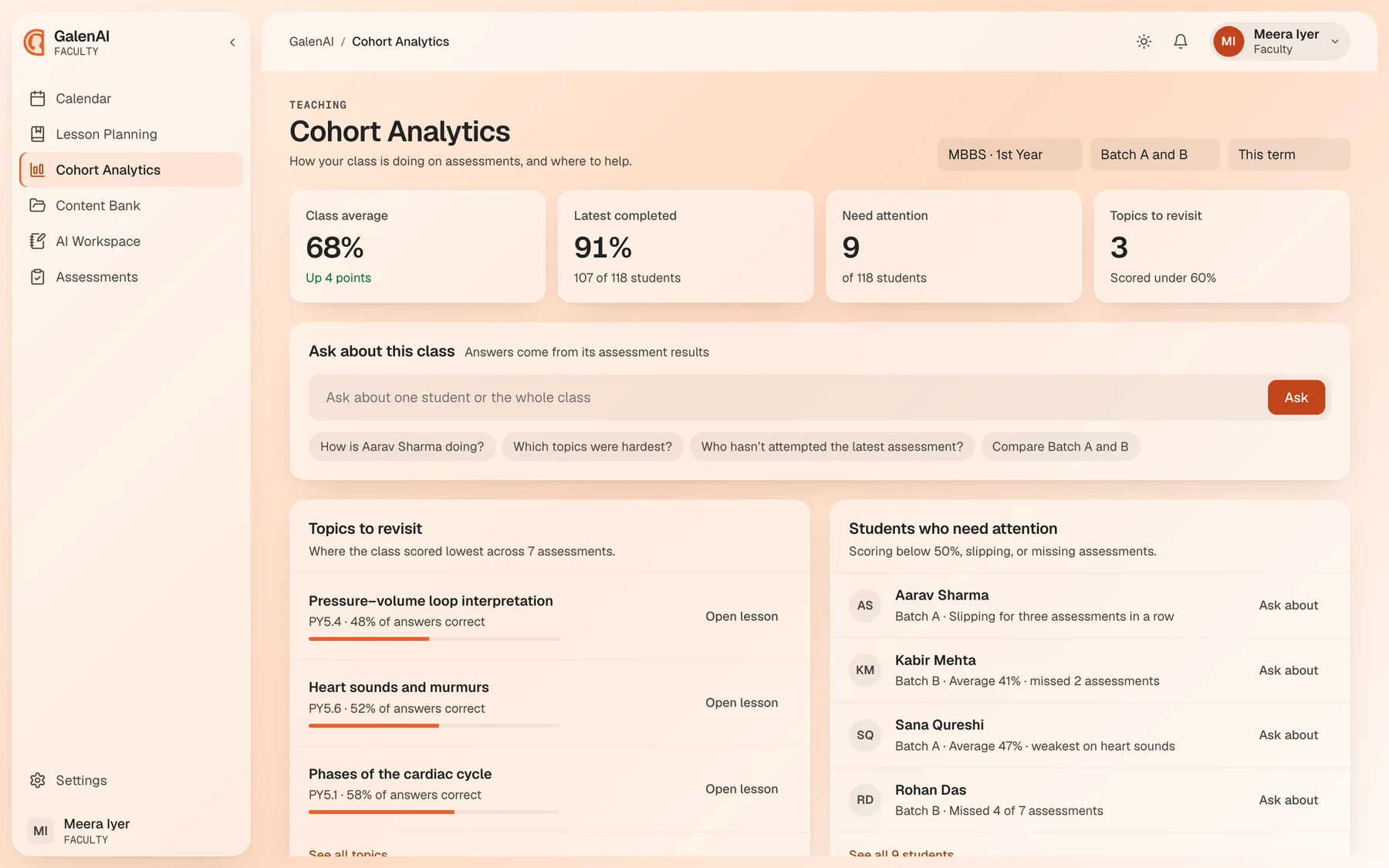
What AI drafts for you
Pick your sources, choose an output, and review the draft.
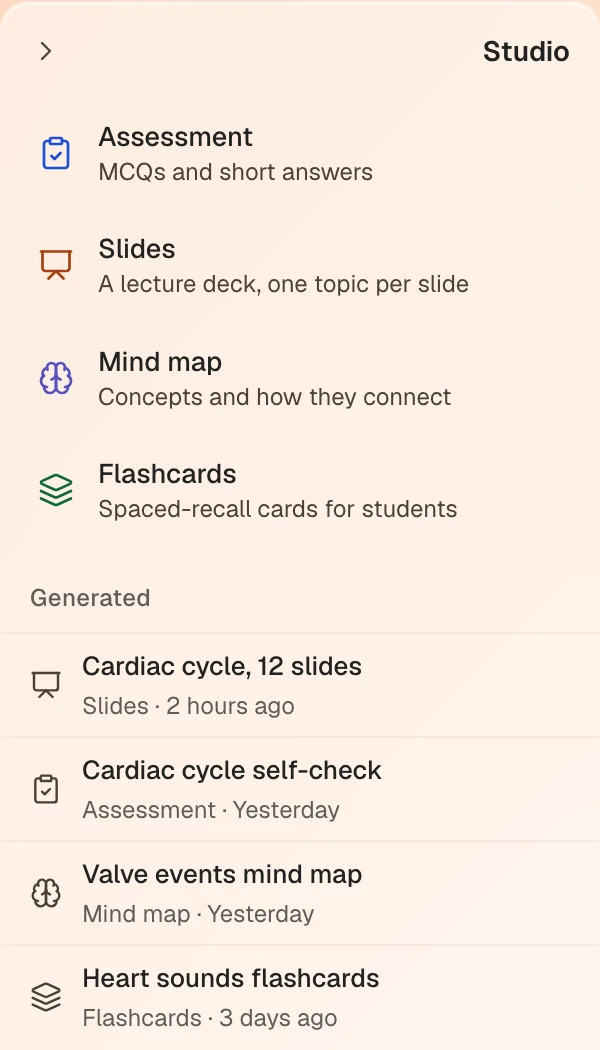
- 01Lecture presentationsSlides from your references, exportable as PPTX from the Content Bank.
- 02Competency-based assessmentsQuestions with the correct answer and rationale, mapped to the competency, ready to schedule.
- 03SGD casesCase discussions for small group teaching, built on the topic you are teaching.
- 04Mind mapsA whole topic on one map, so students see how the concepts connect.
- 05FlashcardsDecks published to the class for spaced revision in the student app.
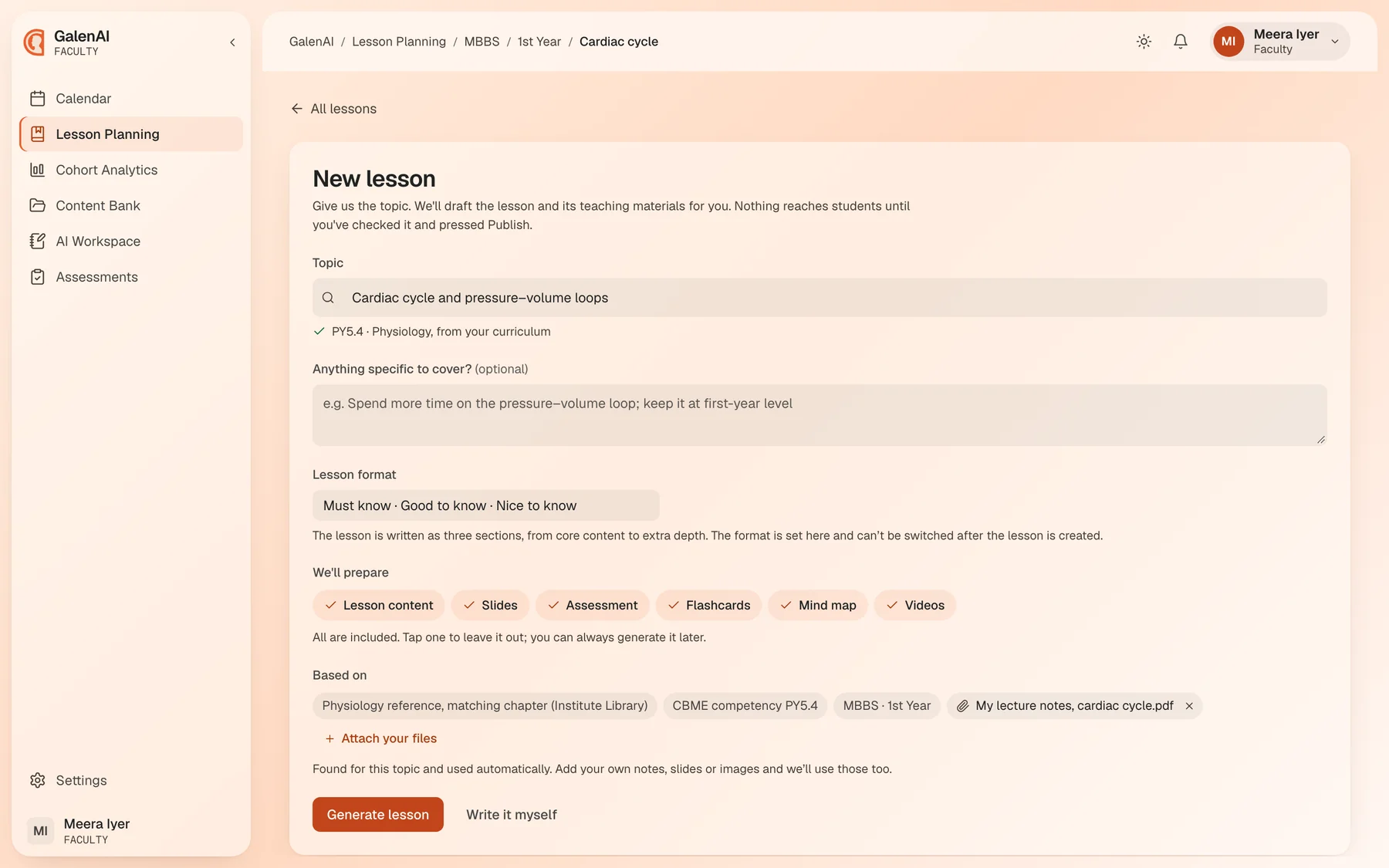
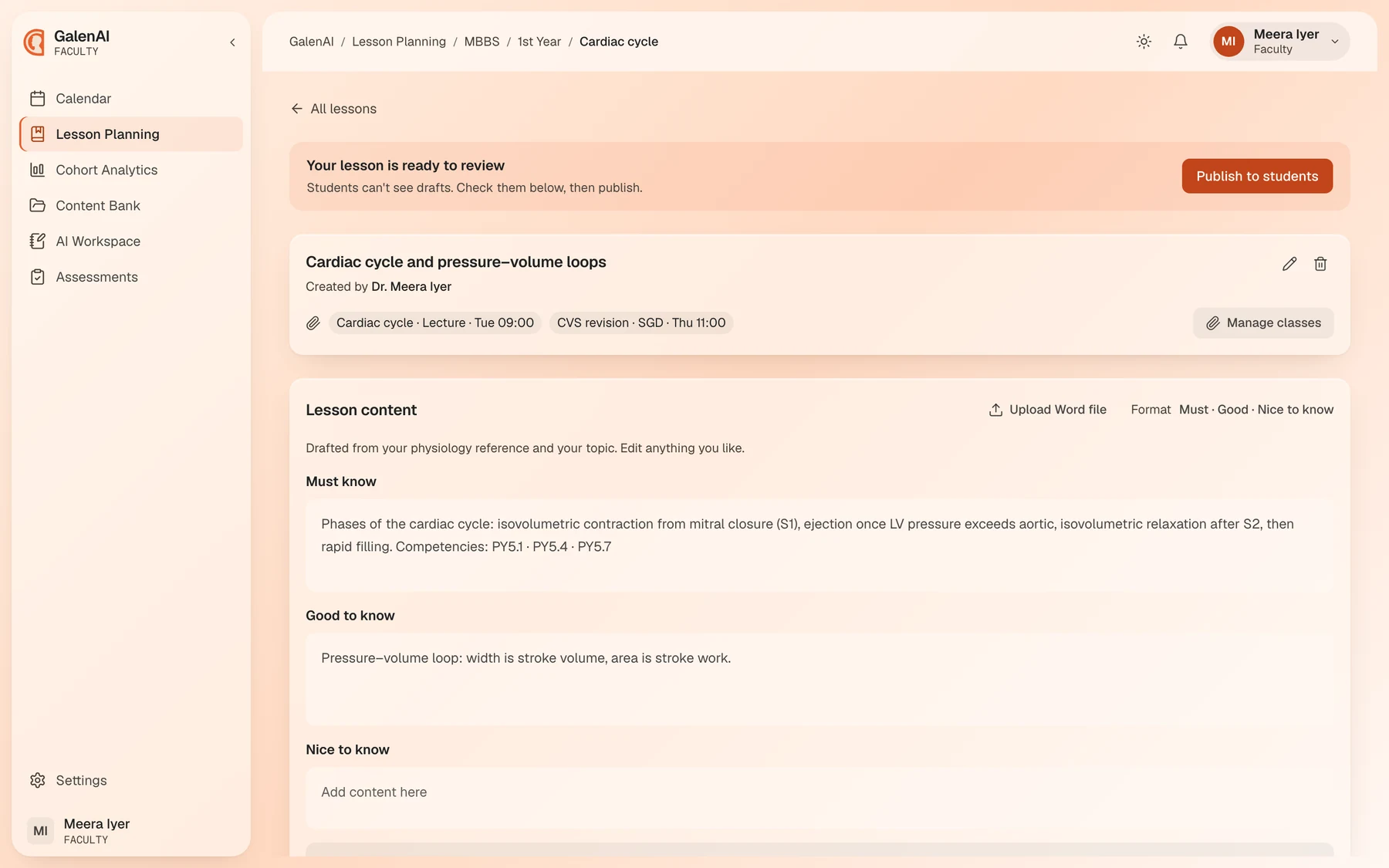
Lessons with Must, Good and Nice to know
Competencies are prefilled from the classes attached to the lesson. Generate content level by level, written only from your reference library.
AI drafts. Faculty review.
Everything AI produces is a draft. It is written only from the references the faculty member adds, and it is not saved or shown to anyone until they review it.
Faculty edit what they need, then publish to their class. Published lessons and materials appear on the student calendar, mapped to the competency. Every output stays with your faculty.
Questions, answered
Does AI-generated content go to students automatically?
No. AI produces a draft from the faculty member's own references. It reaches students only after the faculty member reviews, edits and publishes it.
Can faculty use their own notes and slides?
Yes. Faculty add their own references, videos and existing content as sources, and GalenAI drafts from those.
Can faculty change the class date or time?
No. The timetable is managed by the college's secretary role, so the calendar stays consistent for every batch. Faculty plan and publish the teaching.
Try it live
Open the faculty platform now, or let us walk you through it.