For college and administration
One connected view of CBME.
GalenAI gives the Medical Education Unit and college administration one view of CBME delivery: lessons delivered against the plan, learning and assessment results by student, by competency and by department, and course and programme outcomes, with audit-ready reports in one place.
Where every batch stands
Cohort analytics by competency, results by assessment, and an overview of the whole institute.
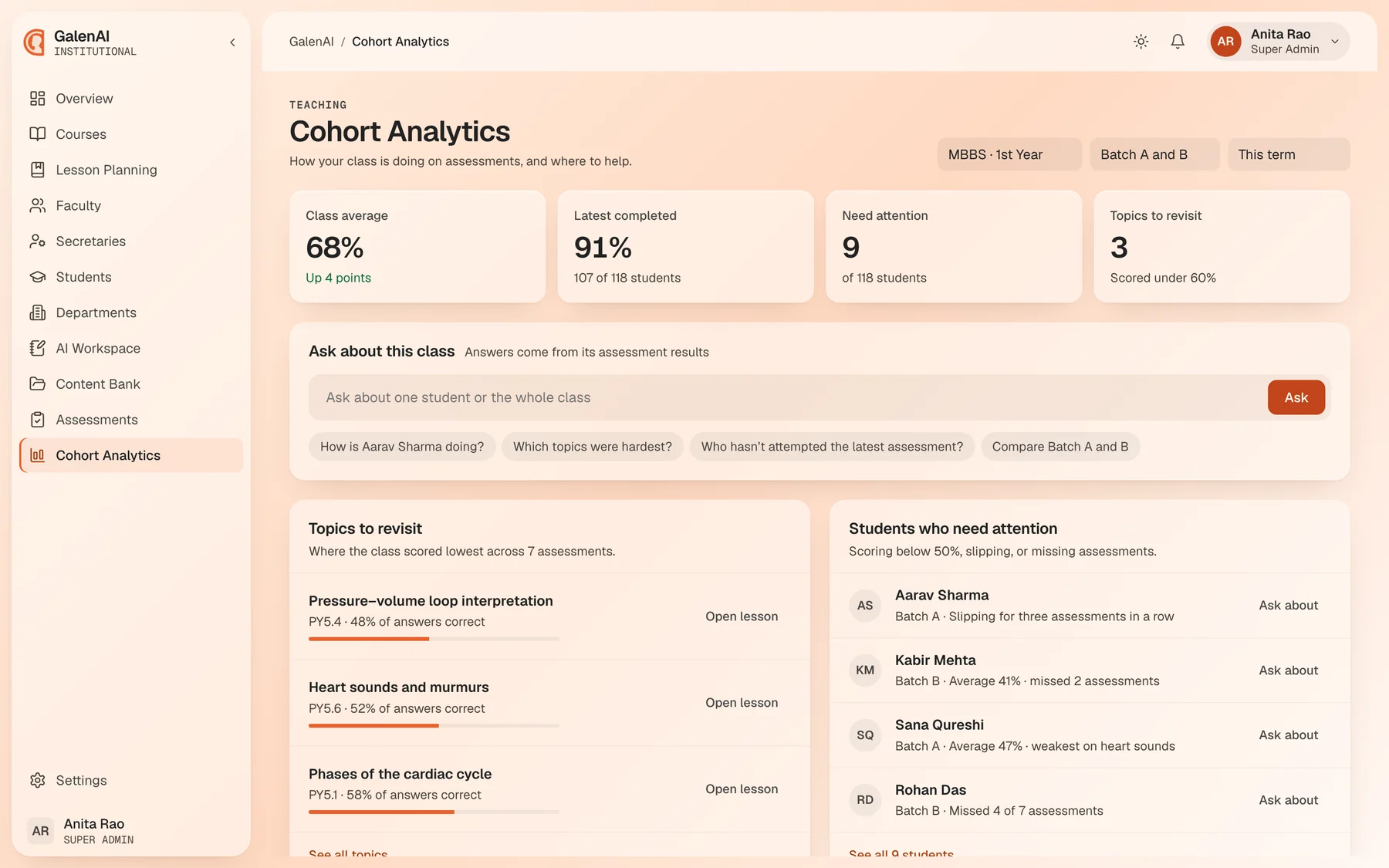
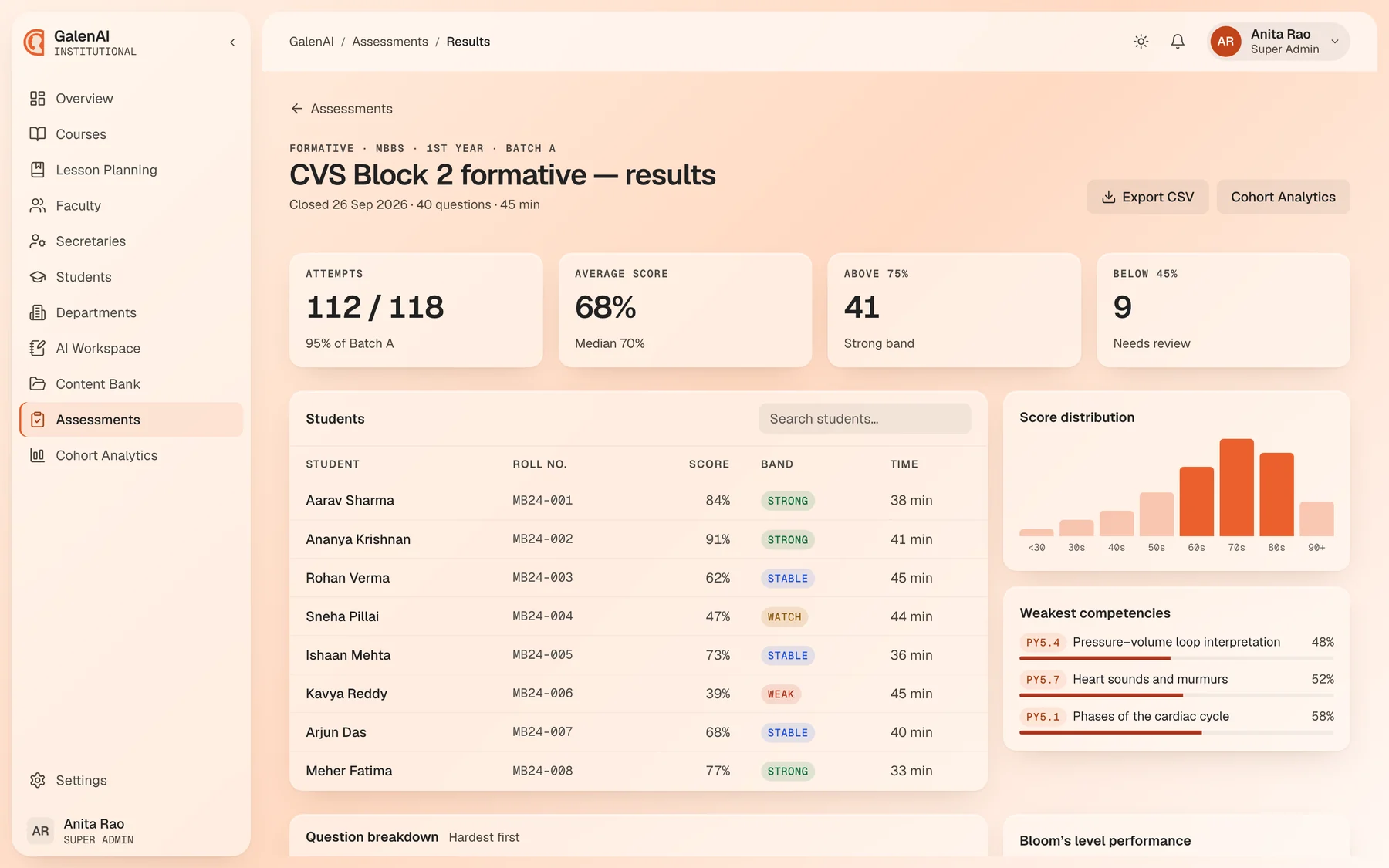
What you can report on
- 01Lessons delivered, per competencyAnd lesson delivery against the plan.
- 02Learning per student, per competencySee who needs support before the exam, not after.
- 03Assessment results, per competencyBy student, by batch and by department.
- 04Course outcomes (CO) and programme outcomes (PO)Mapped from the same data.
- 05Summative assessmentOn request.
- 06CBME units and competencies in one viewAudit-ready reports, all in one place.
Who does what: Super Admin and Secretary
The Super Admin sets up the institute: structure, people, settings and the institute timezone, and can see every assessment and all analytics.
The Secretary manages the timetable only: uploading, verifying and editing classes. Faculty plan and teach; they cannot change a class's date, time or batch, so the calendar stays consistent.
Setting up your college
- 01
Create the structure
Courses, years and batches, or import them.
- 02
Add your people
Invite or import faculty, secretaries and students by CSV.
- 03
Upload the CBME timetable
It is validated on upload and becomes the competency calendar.
- 04
Teaching starts
Faculty plan and publish; analytics fill in as students learn.
Questions, answered
Can GalenAI produce reports for CBME audits?
Yes. Lesson delivery, learning and assessment results are recorded per competency, with course and programme outcomes, so audit-ready reports come from one place.
How do we add students and faculty?
Invite them individually or import them by CSV. The required columns are listed in the administration guide.