All faculty guides
Plan
Your teaching calendar
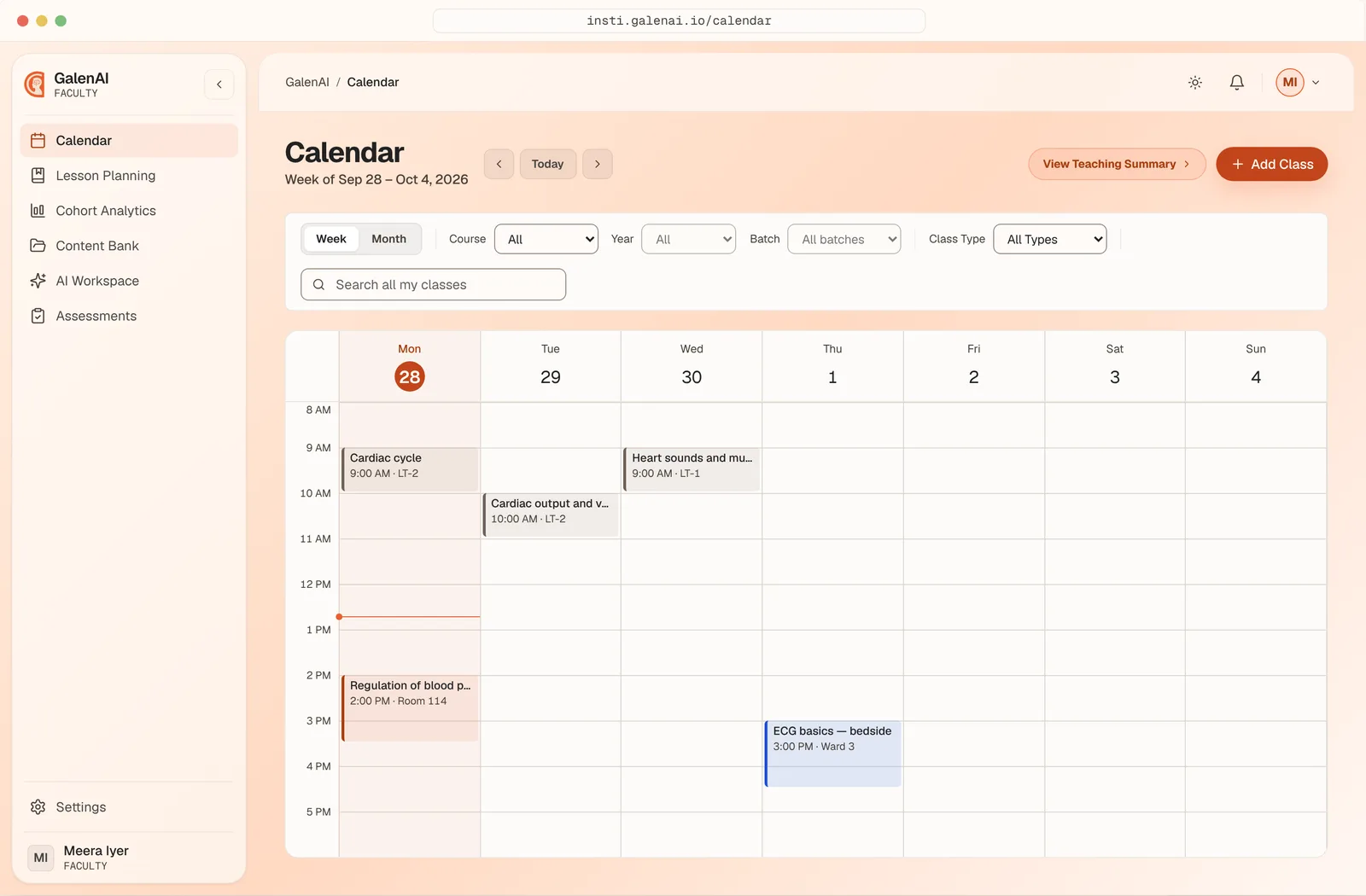
After you sign in you land on your calendar: every class you teach this week, filled in from the institution's CBME timetable.
- Find your classes
Switch between Week and Month. Filter by course, year, batch and class type, or search all your classes.
- Open a class
Click any block to see topic, time, type, readiness, batch and venue. Open it straight in the AI Workspace from here.
- Edit what you own
You can change topic, type, venue and competencies. Date, time and batch are changed by the timetable secretary.
- Add a class you teach
Click Add Class. Fill Session Basics (topic, type, batch, date, time, venue) and Academic Mapping. Competencies are required.