All faculty guides
Assess
Release an assessment and read the results
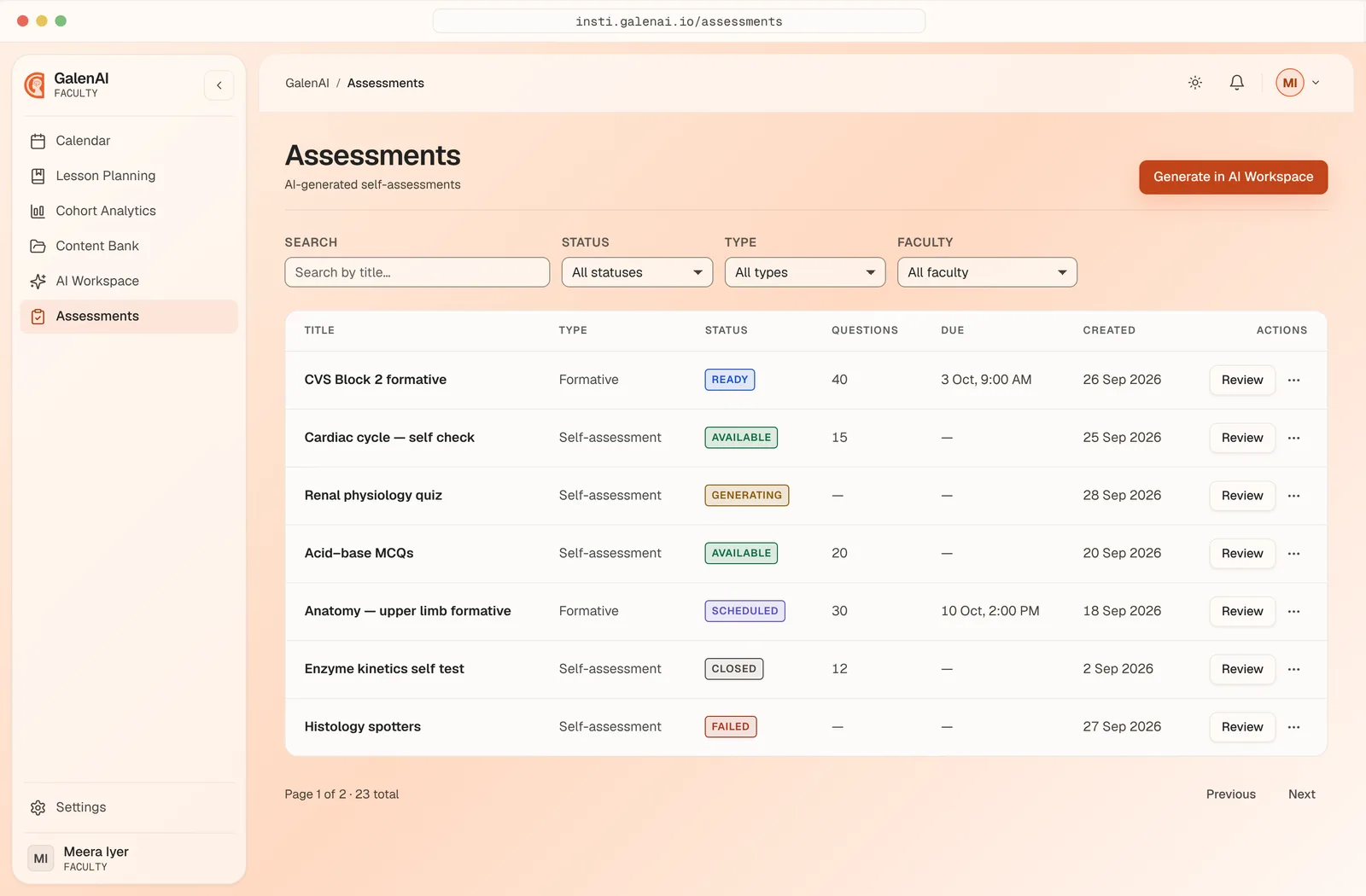
- Find your assessment
Open Assessments. Status shows where each one is: Generating, Ready, Scheduled, Available, Closed or Failed.
- Review the questions
Open a Ready assessment. Correct answers are highlighted and each question is tagged to a competency. Edit or Regenerate any you don't like.
- Schedule the release
Click Schedule & release and choose the batch and timing.
- Read the results
See attempts, average and median score, who scored above or below thresholds, the score distribution and the weakest competencies. Export CSV or jump to Cohort Analytics.