All administration guides
Step 2
Build your academic structure
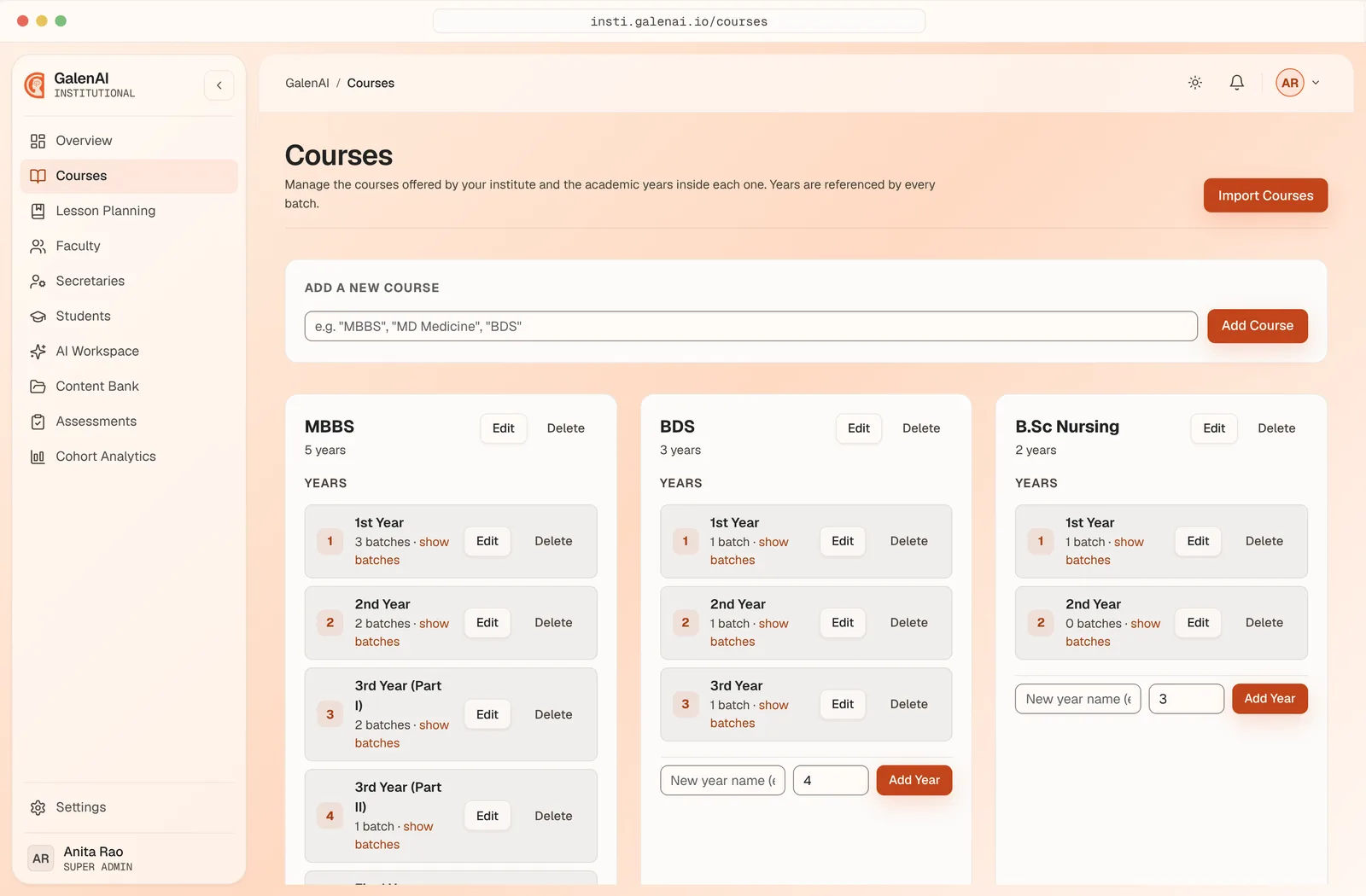
Courses contain years, and years contain batches. Students, lessons, the timetable and analytics filters all depend on this structure, so set it up before anything else.
- Add a course
Open Courses, type the name (for example MBBS) and click Add Course.
- Add years
Inside a course, add each year with its order: 1st Year, 2nd Year, 3rd Year Part I and so on.
- Add batches
Expand a year and add batches (Batch A, Batch B). Students are assigned to batches.
- Or import the whole tree
Click Import Courses and upload a CSV with columns
course, year, order, batch. Errors are listed before anything is saved.
Careful
Deleting a course removes all its years and batches. A year that still has batches can't be deleted.