All administration guides
Step 6
CBME cohort analytics
See how each batch is progressing against its competencies over time, and where to intervene. Useful for MEU reviews and audits.
- Choose the cohort
Pick course, year, one or more batches and the period.
- Read the four KPIs
Each is compared with the previous period.
- Compare batches and subjects
The score trend compares batches side by side. Subjects are labelled Stable, Watch or Weak.
- Act
Share focus areas with the departments concerned and follow up the students listed for review.
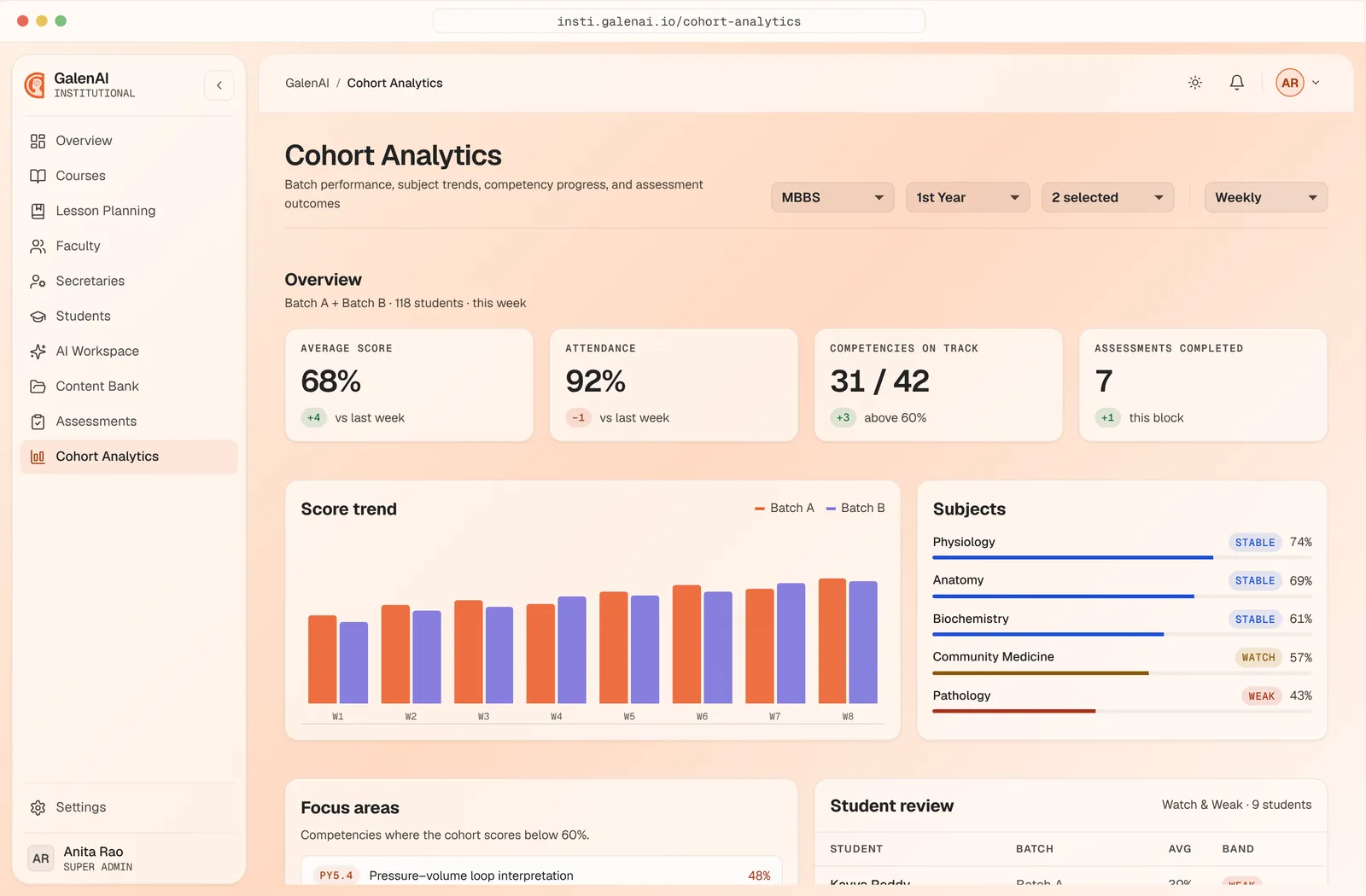
Average scoreMean score across assessments in the period.
AttendanceShare of scheduled sessions attended.
Competencies on trackCompetencies where the cohort meets the threshold, for example 31 of 42.
Assessments completedFormatives and self-assessments closed in the period.
Focus areasCompetencies where the cohort scores below 60%.
Student reviewStudents who need follow-up, by batch.
Note
Filters live in the page link. Copy the URL to share the exact view with the Dean or MEU.