Tutor modes
One tutor. Five ways to teach.
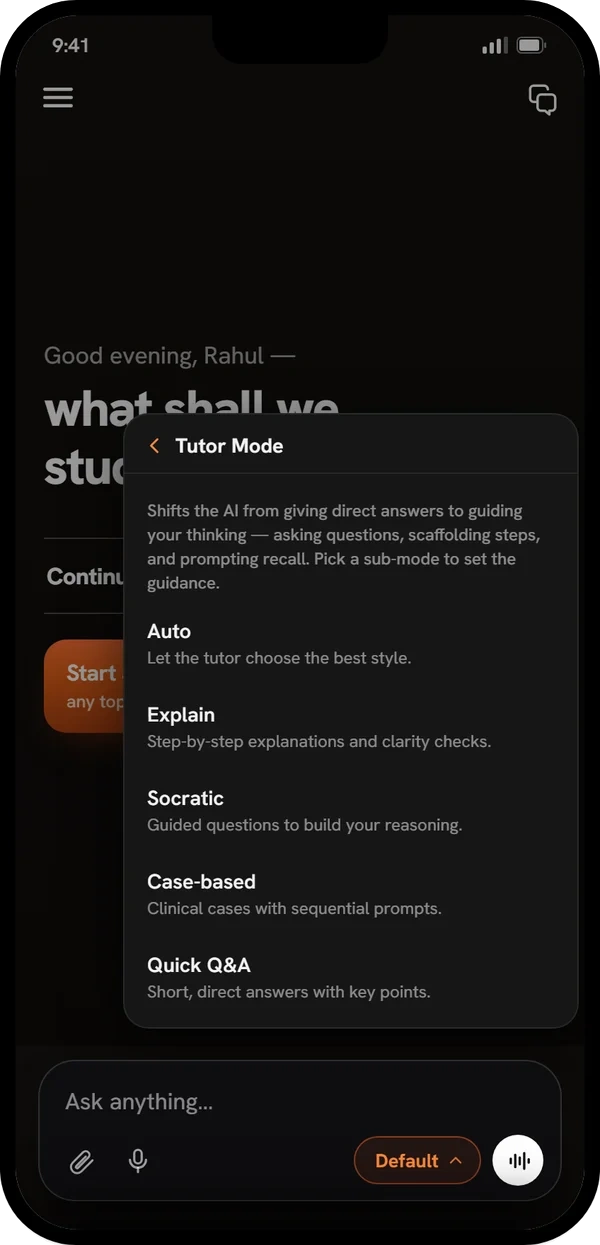
GalenAI lets you choose how the tutor answers. Auto picks for you, Explain breaks the topic down, Socratic questions you until you reach the answer, Case-based teaches through a patient, and Quick Q&A fires short answers for revision. You can also build a Tutor Profile with your own instructions.
Try each mode
Step-by-step explanations and clarity checks
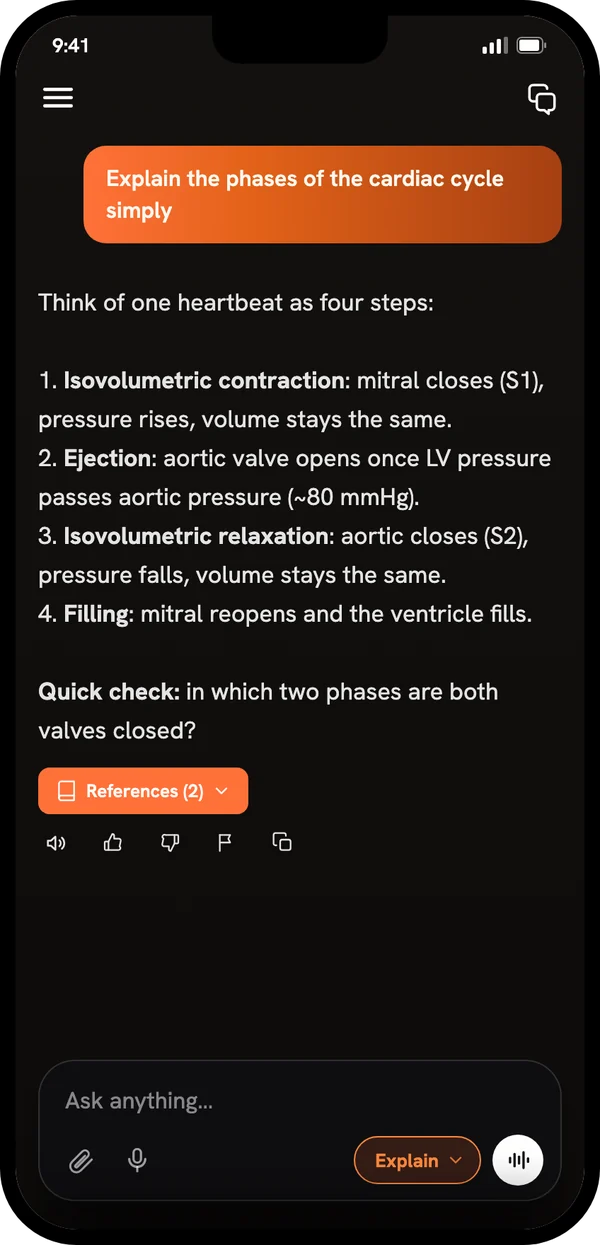
Breaks a topic into numbered steps in plain language, then ends with a quick check question so you know it landed.
Guided questions to build your reasoning
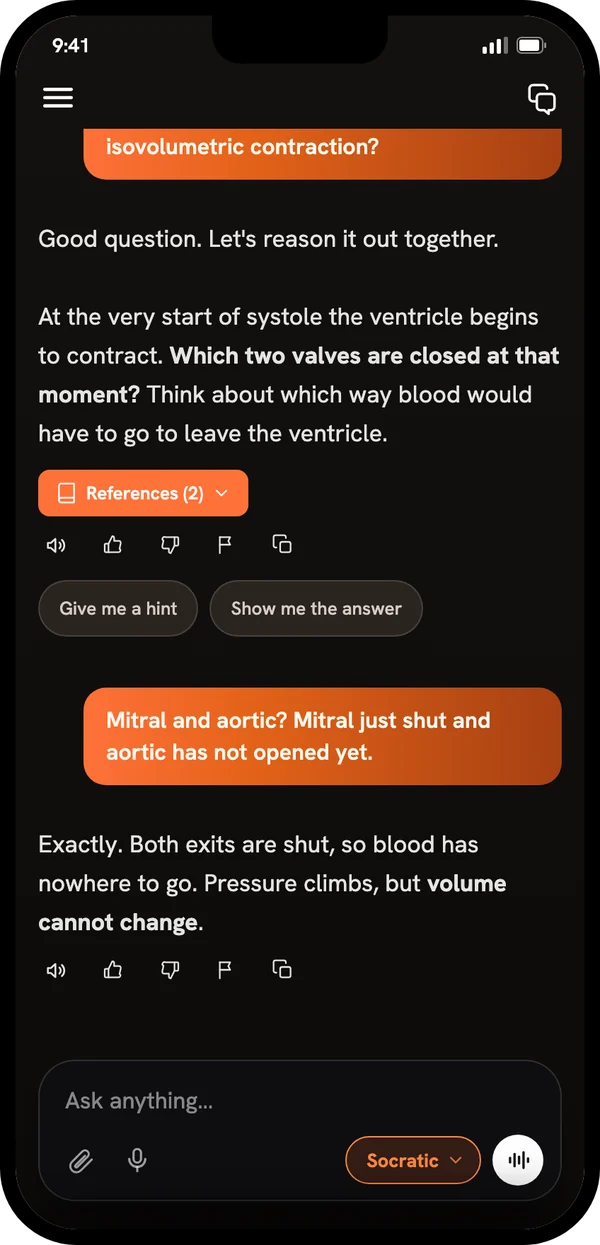
Answers your question with a question, one step at a time, until you reach the answer yourself. That is how vivas and ward rounds test you.
Clinical cases with sequential prompts
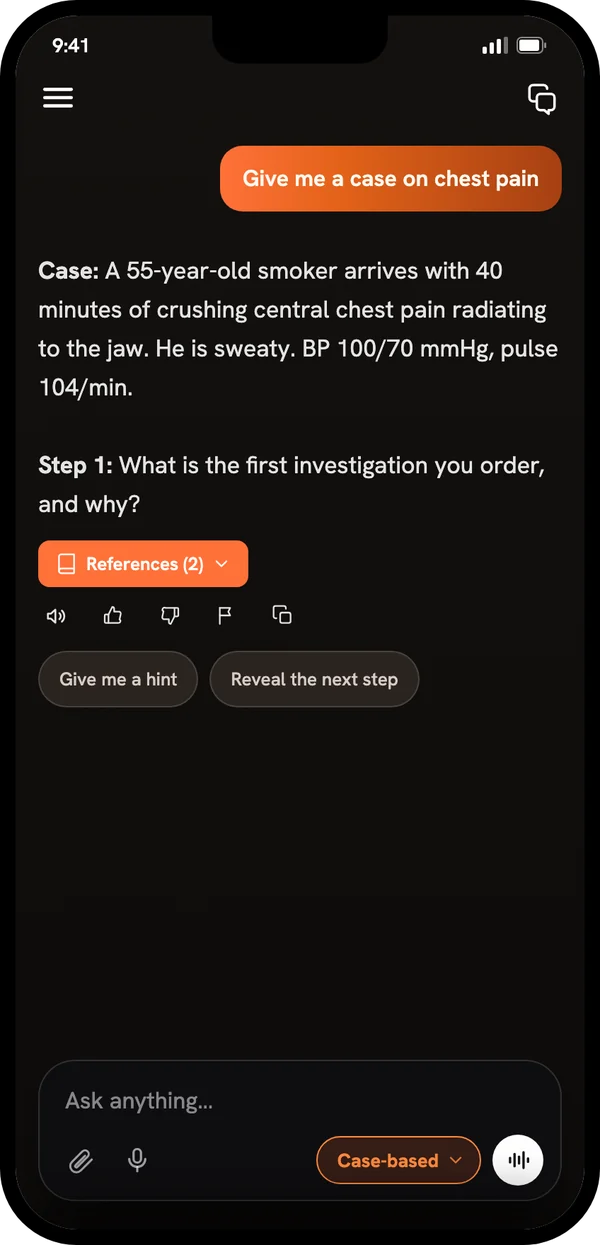
Builds a short patient scenario on your topic and asks you to decide, step by step: what to ask, examine, order and do.
Short, direct answers with key points
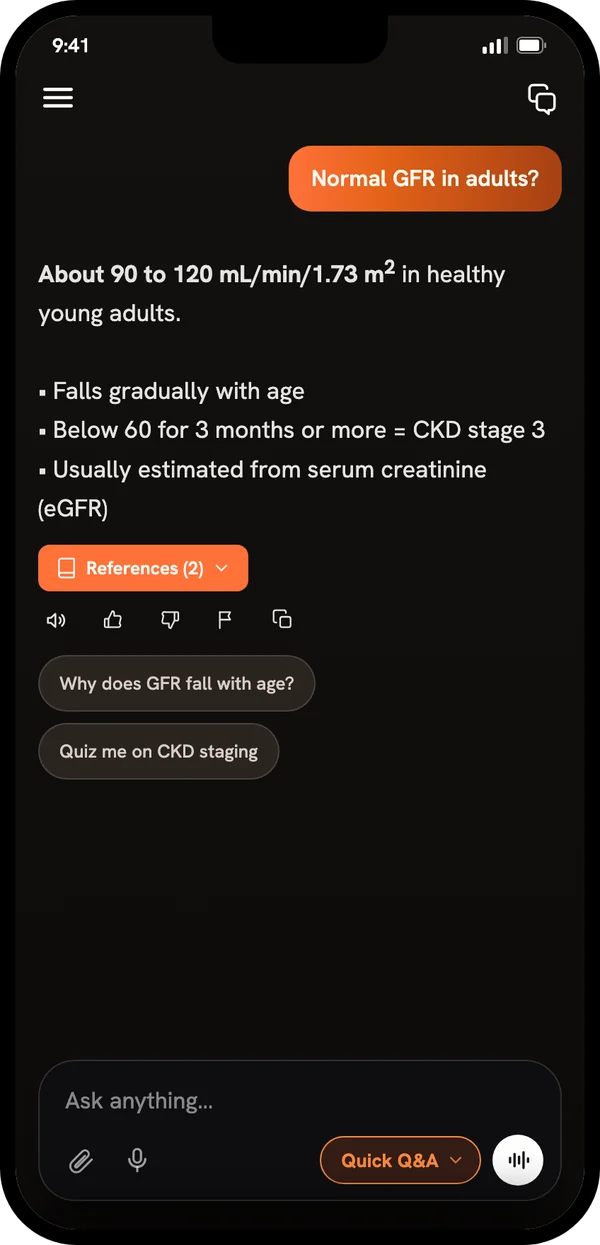
One-line answer first, then three or four bullet points. No long explanation.
Let the tutor choose the best style
Decides, message by message, whether to explain, question you or give you a case.
Best for
- First read of a new topic
- A lecture that didn't click
- Cycles, pathways, phases
Try asking
Explain the coagulation cascade step by step
Best for
- Mechanisms and physiology
- Viva and ward-round prep
- Topics you've read but can't explain
Try asking
How does furosemide cause hypokalaemia?
Best for
- Clinical postings and phase III
- NEET PG style reasoning
- Linking theory to a patient
Try asking
Give me a case on chest pain
Best for
- Last-minute revision
- Normal values, drugs of choice
- Rapid-fire self testing
Try asking
Nerve supply of the diaphragm?
Best for
- Mixed study sessions
- When you're not sure which mode fits
Try asking
Ask as you normally would
How to switch modes
- 01
Tap the pill next to Send
It shows the mode you are in. Default is plain chat.
- 02
Open Tutor Mode
Pick Auto, Explain, Socratic, Case-based or Quick Q&A.
- 03
Ask as usual
Switch at any point in the chat if you want a different style.
Build your own tutor with Tutor Profile
A Tutor Profile is a tutor you build yourself. In Manage profiles you write instructions for how it teaches, what it should refer to and how answers should be formatted.
Use one profile for clinical reasoning and another for memorising, then switch between them. A profile and Tutor Mode are used one at a time.